
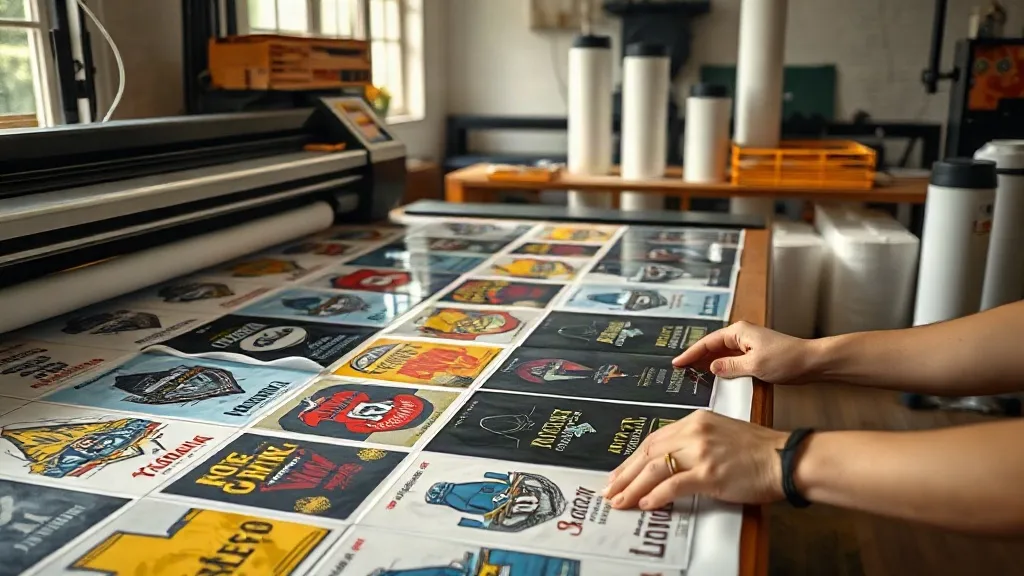
When you run a small apparel brand, every square inch of transfer film and every minute of press time counts. You have probably felt the sting of wasted material and watched your profit margin shrink with each misprint. The solution might be simpler than you think: organizing your designs into a DTF Gangsheet. In this guide, I will walk you through what a gangsheet is, why it matters for small brands, and how to use it to get more out of your DTF printer.
What Is a DTF Gangsheet?
Let's start with the basics. A DTF Gangsheet is a single sheet of transfer film that holds multiple designs, arranged to maximize the use of space. Instead of printing each design on its own sheet, you nest them together like a jigsaw puzzle. This approach is common in screen printing, but it translates beautifully to DTF. The goal is to fill the sheet with as many prints as possible, minimizing waste and reducing your cost per print.
If you are new to DTF, you might be tempted to print one design at a time, especially when orders are small. But that leaves a lot of empty film, which is essentially money thrown away. A gangsheet lets you combine different sizes, colors, and even different orders onto one sheet, so you are always printing at maximum efficiency.
Why Your Small Brand Needs a DTF Gangsheet
Small brands often operate on tight budgets and limited time. A DTF Gangsheet addresses both pain points. Here is how.
Cost Savings That Add Up
DTF film, ink, and powder are not free. When you print a single small design on a large sheet, you are paying for all that unused space. By grouping designs, you spread the cost across multiple prints. For example, if a sheet costs $2 and you print one design, that design costs $2 in materials. But if you fit four designs on the same sheet, each design costs just $0.50. That difference goes straight to your bottom line.
Moreover, many DTF suppliers charge by the sheet or offer bulk discounts on gangsheets. If you send a gangsheet to a service, you often pay a flat rate per sheet, so the more designs you fit, the cheaper each one becomes. Even if you print in-house, the savings on consumables are significant.
Time Efficiency and Faster Turnaround
Printing one design at a time means more setups, more passes through the printer, and more time spent cutting and pressing. A gangsheet consolidates the work. You print once, powder once, cure once, and then cut out the individual designs. For a small brand juggling multiple orders, this streamlined workflow can be a game-changer. You can produce a batch of shirts in a fraction of the time, which means you can accept rush orders or simply enjoy more free time.
Consistent Quality Across Prints
When you print designs together on the same sheet, they all go through the same printer settings, the same powder application, and the same curing process. This consistency is hard to achieve when printing individually. You avoid variations in color vibrancy and adhesion because everything is processed under identical conditions. For brands that pride themselves on quality, this uniformity is a major plus.
How to Create an Effective DTF Gangsheet
Creating a gangsheet is not just about cramming designs onto a sheet. A little planning goes a long way. Here are the key steps.
1. Gather Your Designs and Sizes
Start by collecting all the designs you need to print, along with their sizes. If you have multiple orders, group them by similar colors or themes to make the most of the space. Remember to include a small gap between designs (about 0.25 inches) for cutting.
2. Use Gangsheet Builder Software
Manually arranging designs can be tedious and error-prone. Fortunately, many DTF suppliers and software tools offer gangsheet builders. These online tools let you upload your designs, drag and drop them onto a virtual sheet, and automatically optimize the layout. Some even calculate the cost per design based on the sheet size. If you are handy with design software like Photoshop or Illustrator, you can create a template and arrange designs manually, but the builder saves time and reduces mistakes.
3. Optimize for Film Width
DTF film comes in standard widths, typically 13, 17, or 24 inches. Make sure your gangsheet fits within the printable area of your film. Rotate designs if necessary to fill gaps. Also, consider the grain of the film; while DTF film is generally uniform, some printers have specific requirements for feeding, so check your printer's guidelines.
4. Test and Refine
Before committing to a full production run, print a small test gangsheet to check color accuracy, adhesion, and overall quality. Adjust your layout or printer settings as needed. Over time, you will develop a sense of how to pack designs efficiently.
Common Mistakes to Avoid with DTF Gangsheets
Even experienced printers can slip up. Watch out for these pitfalls.
- Overcrowding: Leaving too little space between designs can make cutting difficult and lead to peeling edges. Always maintain a safe margin.
- Ignoring color profiles: Different designs may require different color settings. If you mix designs with vastly different color needs on one sheet, you might compromise on color accuracy. Group similar designs together.
- Forgetting about fabric compatibility: While DTF works on many fabrics, some designs may be intended for specific materials. If you are printing for multiple fabric types, consider separate gangsheets to avoid confusion.
- Not accounting for shrinkage: If you are printing on garments that will be washed, remember that DTF prints can stretch with the fabric. Design placement should account for any potential shrinkage.
Maximizing Profit with DTF Gangsheets
For small brands, profit margin is everything. A DTF Gangsheet directly impacts your bottom line by reducing material costs and labor. But there is more: you can also use gangsheets to offer competitive pricing. When you know your cost per print is lower, you can price your products more attractively without sacrificing profit. Additionally, gangsheets allow you to take on larger orders without needing to expand your equipment or workspace. You become more efficient with what you already have.
Another angle: consider offering gangsheet services to other small brands. If you have spare capacity on your printer, you can fill a sheet with designs from other businesses and charge a fee. This turns your DTF printer into a profit center and helps build community among local apparel makers.
Frequently Asked Questions
What is the ideal size for a DTF Gangsheet?
The ideal size depends on your printer's maximum print width and the number of designs you need to print. Common widths are 13, 17, and 24 inches. The length can be as long as your printer allows, but keep in mind that longer sheets may require more careful handling during powder application and curing. Start with a length that matches your typical order volume and adjust as needed.
Can I mix different fabric types on one gangsheet?
Yes, you can mix designs intended for different fabrics on the same gangsheet, as long as you use the same transfer settings. However, be mindful that some fabrics may require different pressing temperatures or times. If you are unsure, test a small sample first. Also, keep track of which design goes on which fabric to avoid mix-ups during pressing.
How do I calculate the cost per print on a gangsheet?
To calculate cost per print, divide the total cost of the gangsheet (including film, ink, powder, and any labor) by the number of designs on the sheet. For example, if a sheet costs $3 and holds six designs, each design costs $0.50. Remember to factor in cutting and pressing time if you want a fully loaded cost.
Is a DTF Gangsheet suitable for small orders?
Absolutely. In fact, small orders benefit the most because you can combine multiple small orders onto one sheet. Instead of printing each order separately and wasting film, you fill a sheet with designs from several customers or products. This is especially useful for print-on-demand businesses where order sizes vary.
What software can I use to build a gangsheet?
Many DTF suppliers offer free online gangsheet builders. Alternatively, you can use graphic design software like Adobe Photoshop, Illustrator, or free tools like Inkscape or GIMP. The key is to create a template with the correct dimensions and arrange your designs with proper spacing. Some RIP software also includes nesting features to automatically optimize layout.
Embracing the DTF Gangsheet approach is one of the smartest moves a small apparel brand can make. It saves money, saves time, and elevates the quality of your prints. Give it a try on your next batch and see the difference for yourself.